

.webp)
PadForge has added OpenXR input support and browser-based gamepad forwarding to its Windows controller-remapping software. The changes arrived in the 5.0 release series, and the current download is version 5.0.0.
The update gives Windows users two new ways to bring existing hardware into a setup that games can recognise through a virtual controller. One uses VR equipment through OpenXR; the other forwards gamepad input from a phone browser over a local network to a Windows PC.
PadForge is a free controller remapper for Windows 10 and Windows 11 on x64 systems. The 5.0 series also introduced preliminary Windows 11 ARM64 downloads, although those builds have not been validated on ARM64 hardware.
VR inputs
The OpenXR addition brings a headset's pose and separate left and right motion-controller inputs into the software's mapping system. Users can map those inputs to virtual controllers for use in standard Windows games, as long as the runtime and connected devices provide the required OpenXR data.
The software requires support for the XR_MND_headless extension. It uses a headless session and does not submit rendered frames, so a VR game does not need to be running for the OpenXR path to work.
The release notes add that coexistence with VDXR while another OpenXR client is running remains untested, leaving an open question about how the software behaves in some multi-client VR setups.
Phone browser route
The browser gamepad feature lets a physical controller connected to a phone send inputs to a Windows PC through the phone browser's Gamepad API. The Windows application receives those inputs over the local network and maps them like other supported devices.
This expands PadForge's existing browser-controller tools by adding another input source. Browser support determines which controls are exposed, and extra controls may be dropped if they exceed the fixed input limits of the selected virtual slot.
There are also some constraints. Forwarding depends on the browser's animation clock and a local-network hop, iPhone Safari cannot send rumble back to the forwarded controller, and handheld hardware has not been tested.
Broader mapping
Beyond the new inputs, the software lets users change how physical controls are interpreted before a game receives input from the virtual device. It supports button swapping, single-axis inversion, and stick response changes, with separate profiles for different games.
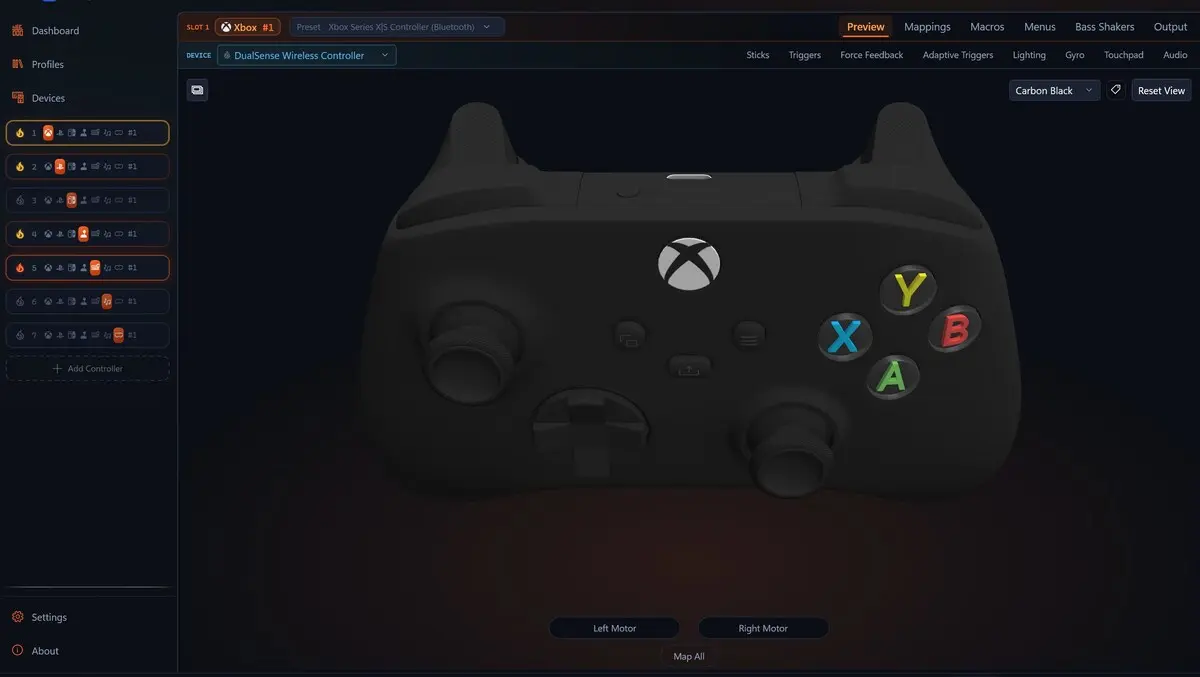
A live input display shows the mapped result while settings are adjusted. Axis controls include independent sensitivity, deadzones, and anti-deadzones, while response curves include presets and a custom editor with movable control points.
Centre calibration and directional range controls are also included to account for a controller's resting position and travel. These settings affect how input is interpreted, but do not repair faulty hardware or ensure that every game's own processing can be overridden.
Several supported devices can feed one virtual controller in the same setup. A flight stick, throttle, and rudder pedals can be combined, and a wheel, separate pedals, and shifter can be grouped in a similar way.
Extended virtual output supports up to eight axes, 128 buttons, and four POV hats. In practice, that still depends on game support for the chosen virtual output and support for the connected physical devices.
For more complex arrangements, multiple sources can feed the same target input. Built-in modes include adding, averaging, or selecting the strongest input, while custom formulas allow weighted blends, differences, thresholds, and conditional rules.
The editor includes starter recipes and shows the calculated result live. Incremental mode lets buttons raise or lower an analogue value, and a ramp setting controls how quickly a button-driven value rises and falls.
Profiles and layers
The software also supports shift layers, which give the same physical controls a second set of assignments. With base-mapping inheritance enabled, users can change selected buttons for a specific in-game function while leaving other controls on their original mappings.
Layers can be activated by buttons, chords, or an axis threshold. Those settings are saved within each game profile alongside its other mappings.
PadForge requires administrator privileges and uses HIDMaestro for virtual controller output. Its core HID and XUSB paths use UMDF 2, while composite USB profiles use the bundled usbip-win2 driver.
The project's source code is available under a Creative Commons non-commercial share-alike licence, while HIDMaestro is distributed separately under the MIT licence. The software does not claim universal game compatibility.
According to the project documentation, a basic evaluation can begin with a supported controller, one virtual Xbox slot, and a button swap. Reviewers are also asked to record the controller model, connection type, and Windows version with their result.